Add an opinion scale or rating question
Two question types measure how a respondent feels about something on a numbered or symbol-based scale: opinion scale and rating. Both need Pro.
Opinion scale and rating both need an active Pro licence. See pricing.
Opinion scale
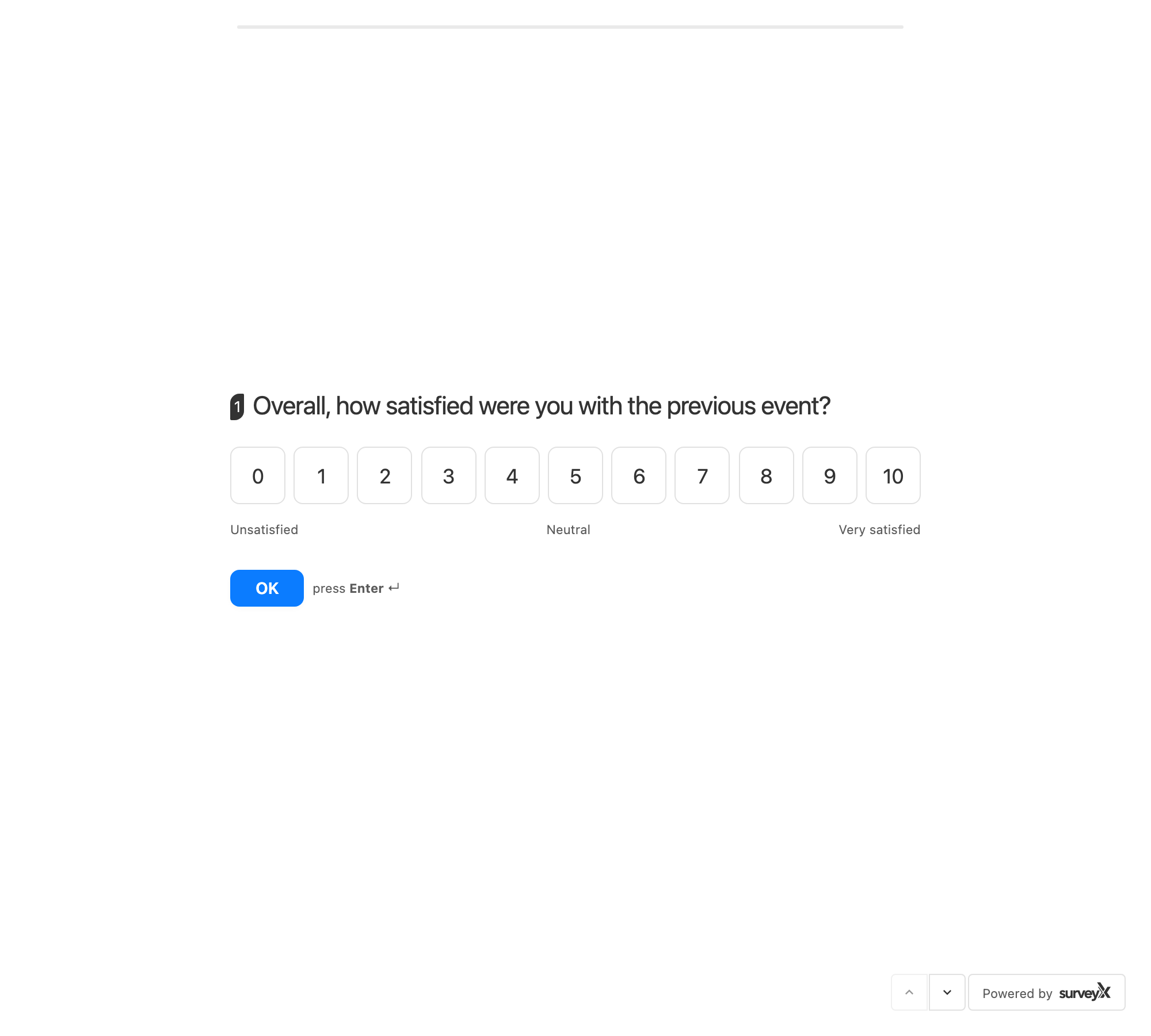
A numbered scale from a minimum to a maximum you set, with optional text under the low, middle, and high ends.
SurveyX's marketing describes this as an NPS (Net Promoter Score) question, but the question itself is a plain numeric scale — there's no built-in grouping into promoters, passives, and detractors, and no NPS score is calculated anywhere in the plugin.
| Setting | What it does | Default | Limits | Edition |
|---|---|---|---|---|
| Minimum value | The low end of the scale | 0 | The editor keeps it below the maximum; no fixed floor otherwise | Pro |
| Maximum value | The high end of the scale | 10 | The editor keeps it above the minimum; no fixed ceiling otherwise | Pro |
| Label — minimum | Text shown under the low end | "Unlikely" | Free text | Pro |
| Label — middle | Text shown under the midpoint | "Neutral" | Free text | Pro |
| Label — maximum | Text shown under the high end | "Likely" | Free text | Pro |
What respondents see: a row of number buttons from the minimum to the maximum, with your min / middle / max labels underneath.
Rating
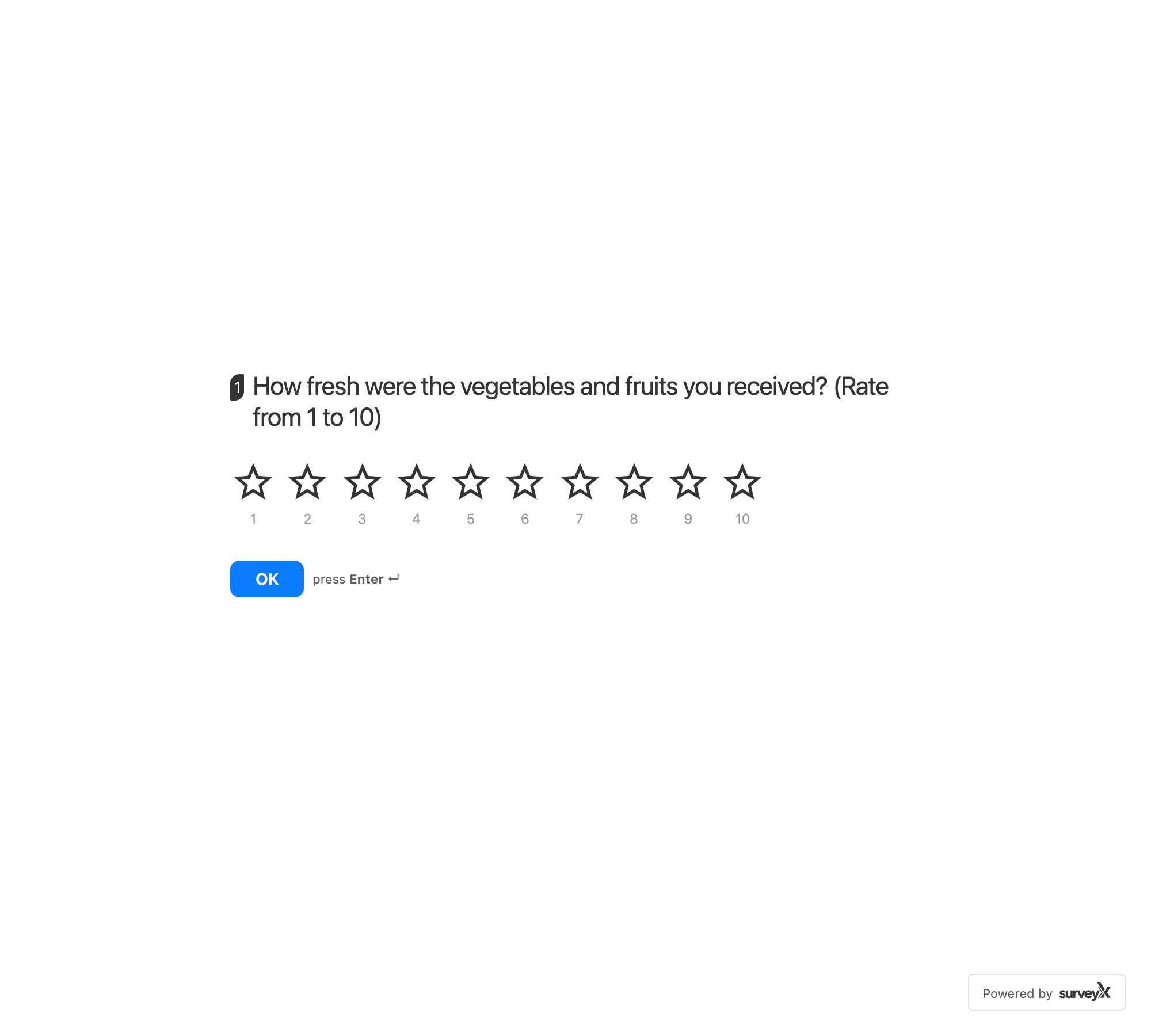
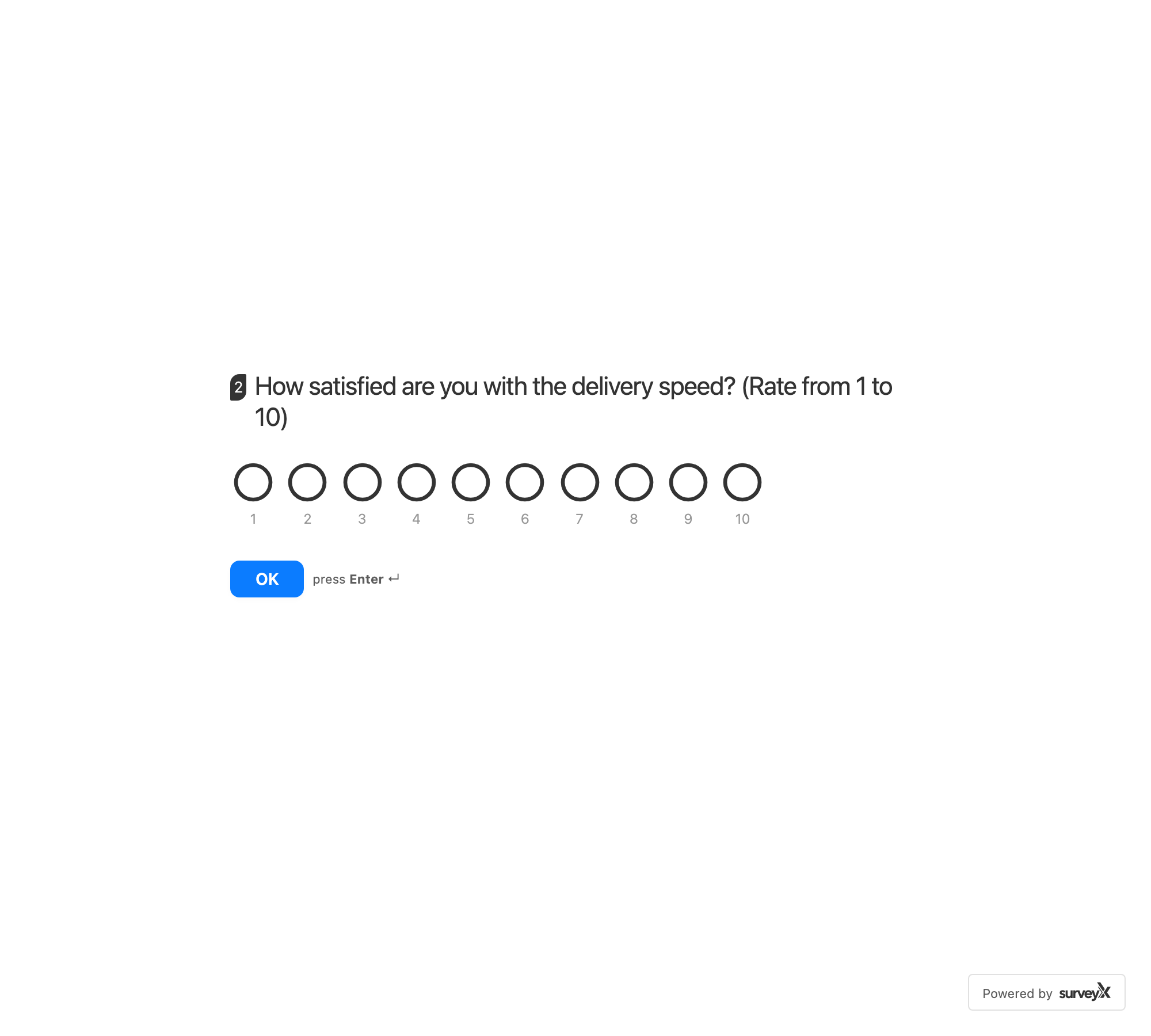
A row of icons — stars or circles — a respondent taps to rate from 1 up to a maximum you set.
| Setting | What it does | Default | Limits | Edition |
|---|---|---|---|---|
| Maximum rating | How many icons the respondent can choose between | 10 | 1 to 10 | Pro |
| Icon type | Star or circle icons | Star | Star or circle | Pro |
What respondents see: a row of icons from 1 to your maximum rating, filled in as they hover or tap.
Troubleshooting
Opinion scale doesn't group answers into promoters, passives, and detractors. By design — it's a plain numeric scale, not an NPS calculation.
I want a scale wider than 0–10. Raise the maximum (and lower the minimum, if needed) — the editor only requires the minimum to stay below the maximum.
Rating won't go above 10. The maximum rating is capped at 10 in the settings panel.
I want a different rating icon. Choose star or circle — no other icon shapes are available.