Add a matrix or Likert question
A matrix question asks several statements (rows) against one shared answer scale (columns), so a respondent answers every row using the same set of choices. It needs Pro.
Matrix / Likert needs an active Pro licence. See pricing.
| Setting | What it does | Default | Limits | Edition |
|---|---|---|---|---|
| Rows | The statements you're asking about | 2 sample rows | 1–50 rows | Pro |
| Columns | The shared scale used for every row | 5-point Likert scale, "Strongly disagree" to "Strongly agree", valued 1–5 | 1–20 columns | Pro |
| Input type | Whether a respondent picks one column per row or several | Single (one column per row) | Single or Multi | Pro |
| Required rows | Whether every row needs an answer when the question is required | None (any subset is fine) | All or none — one switch for the whole question, not per row | Pro |
| Column value | An optional number behind a column, used to compute an average | Blank for a plain statement row; 1–5 for the default Likert columns | Any integer | Pro |
Row and column labels are capped at 500 characters and truncated silently past that; the internal ids behind them are capped at 64 characters.
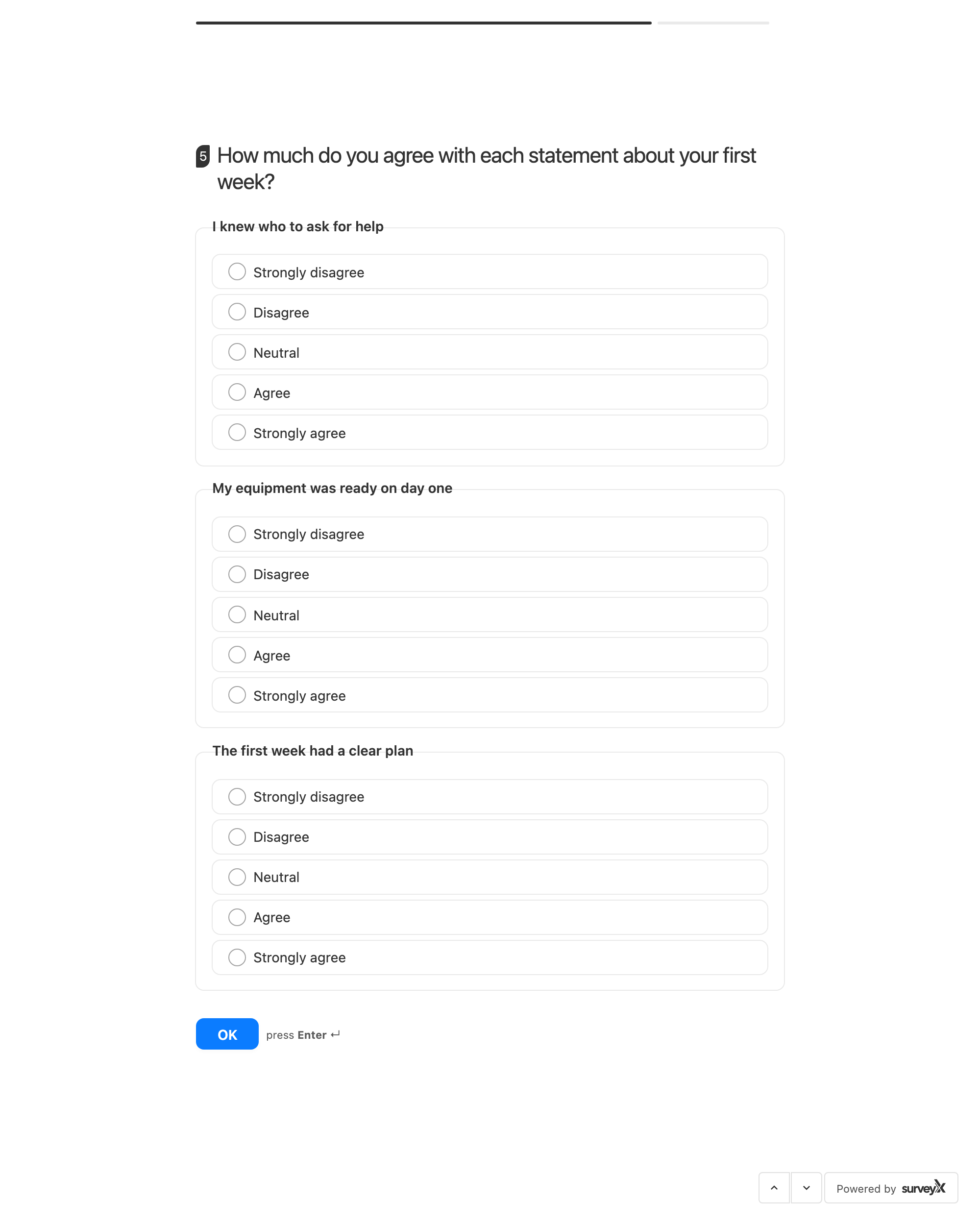
What respondents see depends on how wide the survey is, and at the default width it is not a
grid. Below a 640px survey column, SurveyX drops the table and gives each statement its own card
with the scale listed down it — one radio per option (Input type: Single) or one checkbox
(Input type: Multi). The default column is 600px (--sx-content-max-width), so cards are what
most respondents get, including everyone on a phone.
The grid — statements down the side, the scale across the top — appears once the column is wider
than 640px. Widen it by raising --sx-content-max-width in your theme, or by giving the survey its
own full-width page.
This is deliberate: even a four-column matrix overflows a 600px box once the column headers carry real words, and a horizontally scrolling table is worse than a card list on a phone.
What the admin sees
The summary shows a count and percentage for every row-and-column combination. It also shows a per-row average, but only once every column in that matrix carries a numeric value — if even one column is left blank, no average appears for that matrix. The response drawer shows the column label(s) a respondent picked for each row.
Troubleshooting
I don't see a per-row average in the summary. Averages need a numeric value on every column; add a value to whichever column is missing one.
A long statement got cut off. Row and column labels are capped at 500 characters and truncated past that — keep statements shorter.
I want more than 50 rows or 20 columns. Not available — those are the plugin's own limits.
Respondents can pick more than one column per row, and I didn't want that. Set Input type to Single; Multi is what allows several columns per row.