Add survey respondents to a Mailchimp audience
SurveyX can add a respondent to a Mailchimp audience the moment they give you an email address, without waiting for them to finish the survey.
Mailchimp sync needs an active Pro licence. See pricing.
You'll need a Mailchimp account and its API key.
What triggers it
The trigger is not survey completion. It's a contact-info question capturing a non-empty email address, which can happen on question 2 of a 20-question survey. The sync itself runs 5 minutes after that, in the background, so a respondent who abandons the survey right after entering their email is still added to your audience.
A survey with no contact-info question never syncs anyone — Mailchimp sync has nothing to key on without one.
Settings
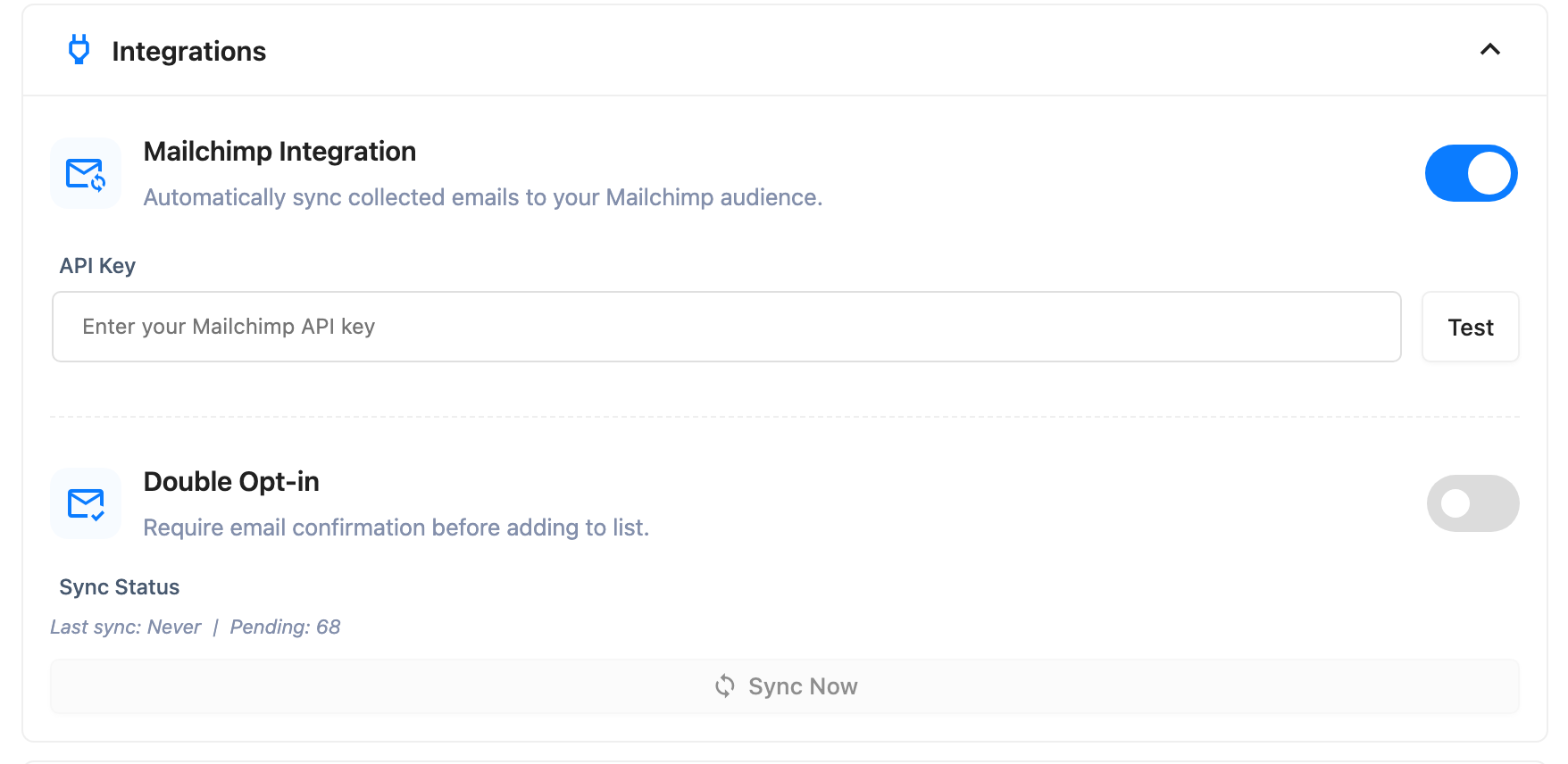
Global, not per survey: it lives under Settings, in the Integrations group. One API key and one audience for your whole site.
| Setting | What it does | Edition |
|---|---|---|
| Mailchimp Integration (toggle) | Turns the sync on | Pro |
| API Key | Your Mailchimp account's API key, masked once entered | Pro |
| Double Opt-in | Whether a new contact starts as pending confirmation or subscribed immediately | Pro |
The toggle and API key both have to be set — miss either and the sync never fires. Click Test next to API Key to confirm it works; on success, an Audience/List picker appears below it, listing your account's audiences. Pick one there — it isn't a field you'll see until the test has succeeded at least once. Sync Now pushes every pending or failed respondent to that audience immediately, without waiting on WordPress's own cron or the automatic retry backoff.
If any respondent has used up its automatic retries, the settings screen shows a line under the sync stats: N contacts could not be sent and have stopped retrying. Sync Now tries them again.
What respondents see: nothing. The sync happens after they've moved on, with no on-screen sign it happened.
Troubleshooting
Mailchimp not syncing. Check, in order: the sync is enabled; the API key and audience are both set, since any one missing stops every sync silently; and the survey actually has a contact-info question with an email field. Then check timing — sync runs 5 minutes after the email is captured, not immediately and not on completion, so test with a real delay before assuming it's broken.
A respondent finished the survey but never showed up in Mailchimp. If they never reached the contact-info question, or left the email blank, there's nothing to sync — the trigger is the email being captured, not the survey ending.
A sync failed. SurveyX retries automatically before giving up — 60 seconds after the first failure, then 300 seconds after the second, 3 attempts total, the same backoff webhook delivery uses.
A respondent is marked failed after each attempt, not only the last one, so a count of failed
respondents can include some that are still waiting on a retry. Give it six minutes before treating
a number as final.
Once the attempts are spent, fix whatever caused it — an expired API key, a deleted audience — and click Sync Now. It picks up both pending and failed respondents, so it is the way back.
I expected a confirmation email to go out immediately. If double opt-in is on, Mailchimp sends its own confirmation on its own schedule; SurveyX only hands off the contact.