Look up a site-wide setting
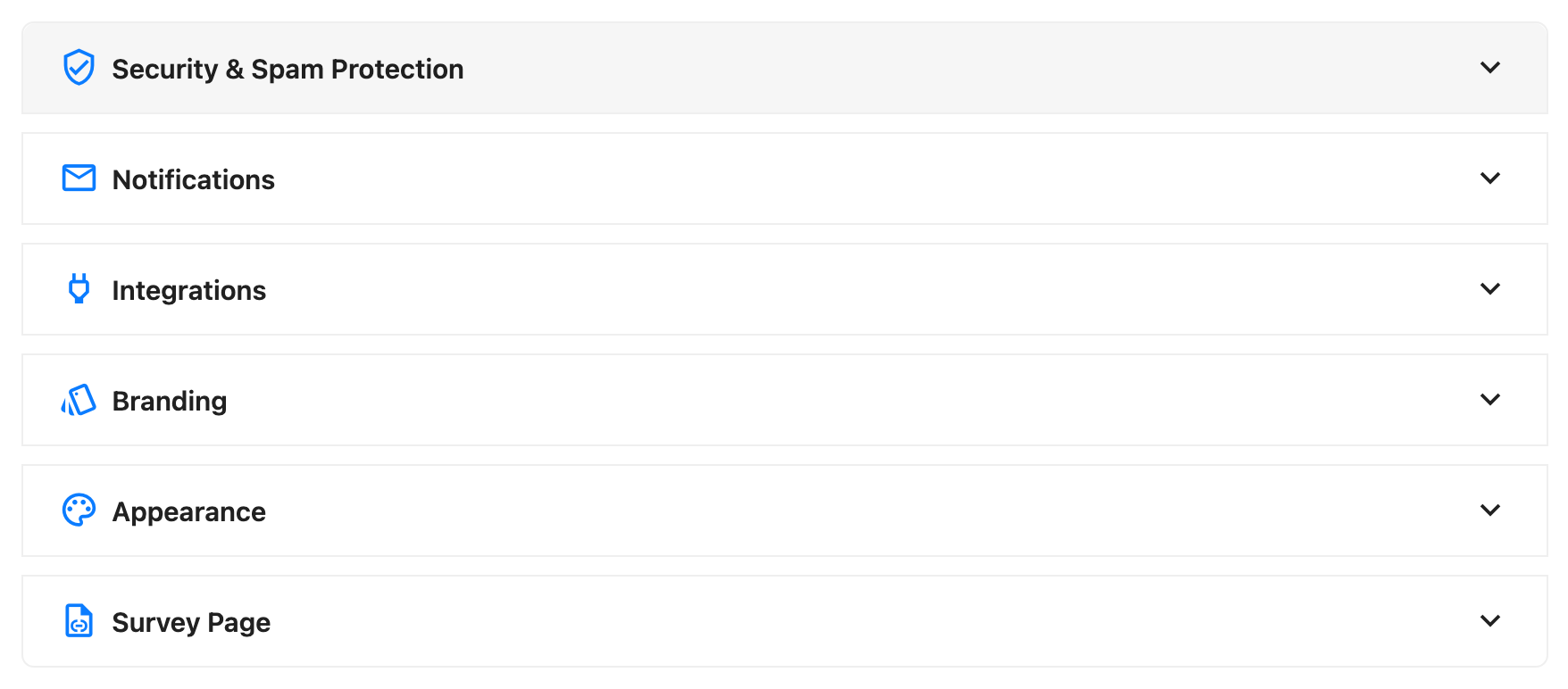
SurveyX's 17 site-wide settings live in one place and apply to every survey, no matter what any individual survey's General tab says. This page groups them the same way Survey settings groups the per-survey ones.
Which is which
If a setting varies survey by survey — its theme, its expiration date, whether it needs a login — it's on that survey's own General tab; see Survey settings. If it applies everywhere at once, it's here. Spam protection is the clearest example: there's no per-survey captcha field anywhere in the product, on either edition, so a captcha toggle you remember from a specific survey doesn't exist — it was always this screen. See Spam protection below.
Like a survey's General tab, this screen writes a few seconds after you stop changing something — there's no Save button.
Spam protection
Full provider details, what a failed check looks like to a respondent, and the free/Pro split are on their own page: Spam protection. The settings themselves:
| Setting | What it does | Default | Limits | Edition |
|---|---|---|---|---|
| Captcha Provider | Picks which spam check runs when someone starts any survey | Absent on older installs, where it's inferred once from old on/off flags (Turnstile, then v3, then v2, whichever was on); an explicit value after that | none, recaptcha_v2 (both editions), recaptcha_v3, turnstile (Pro only) — the button for none is labeled Off | Free: Off or reCAPTCHA v2 · Pro: all four |
| reCAPTCHA v2 Site Key / Secret Key | Credentials from the Google reCAPTCHA console | Empty | Text | Free+Pro |
| reCAPTCHA v3 Site Key / Secret Key / Score Threshold | Credentials and the sensitivity for reCAPTCHA v3's background check | Keys empty; threshold 0.5 | Threshold clamped to 0.0–1.0 | Pro only |
| Cloudflare Turnstile Site Key / Secret Key | Credentials from the Cloudflare Turnstile dashboard | Empty | Text | Pro only |
Notifications
| Setting | What it does | Default | Limits | Edition |
|---|---|---|---|---|
| Email Notifications (toggle) | Turns on an email that arrives as soon as someone completes any survey | Off | On/off | Pro only |
| Email Address | The one address that gets the notification | Empty — falls back to your WordPress admin email | A single address, not a list | Pro only |
| Subject | The notification's subject line | "New Survey Response" | Supports @ mentions for the survey name and the respondent's name, email, phone and id — no answers | Pro only |
| Title | The notification's heading | "Survey Completed" | Same @ mentions as Subject | Pro only |
| Message | The notification's body text | "A respondent has completed your survey.\n\nYou can view detailed responses in your WordPress admin panel." | Same @ mentions as Subject | Pro only |
Integrations
| Setting | What it does | Default | Limits | Edition |
|---|---|---|---|---|
| Mailchimp Integration (toggle) | Turns on syncing respondents to a Mailchimp audience | Off | On/off | Pro only |
| API Key | Your Mailchimp account's API key | Empty | Text, masked once entered | Pro only |
| Double Opt-in | Whether a new contact starts as pending confirmation or subscribed immediately | Off | On/off | Pro only |
An Audience/List picker only appears once Test next to API Key succeeds — it isn't a standing field. See Mailchimp for the full sync contract, including that it fires when a contact-info question captures an email, not on completion.
Branding
| Setting | What it does | Default | Limits | Edition |
|---|---|---|---|---|
| Global Branding Enabled | Applies your logo wherever a survey's header or footer branding is on and that survey has no logo of its own | Off | On/off | Pro only |
| Brand Logo URL / Link URL / Pre-text | The site-wide logo, its click-through link, and the text shown beside it | Empty | Image URL / URL / text | Pro only |
Appearance
| Setting | What it does | Default | Limits | Edition |
|---|---|---|---|---|
| Appear Animation | How questions animate in as a respondent reaches them | Fade — every question already fades in on its own; this only adds a staggered or zoom effect on top | fade (off), staggered, zoom | Free: all three shown disabled · Pro: a working picker |
| Display Alphabet Labels | Shows A, B, C… before each option on choice, dropdown and image-choice questions | On | On/off | Free+Pro |
| Frontend Image Size | Which WordPress image size question and answer images render at | Automatic (answer images at medium, everything else full size) | Automatic, full size, or any registered WordPress image size | Free+Pro |
| Default Cover Layout | The cover layout new surveys start with | Stacked | One of the cover layouts; a survey embedded by shortcode always stays stacked, regardless of this setting | Free+Pro |
Survey page
| Setting | What it does | Default | Limits | Edition |
|---|---|---|---|---|
| Survey Page | Turns standalone survey pages on or off for the whole site | On | On/off — off makes every survey's page URL 404; the [surveyx] shortcode keeps working | Free+Pro |
| Survey Page URL Base | The first path segment of every survey page's URL | survey — both the field's placeholder and the option's own PHP-side default when it's never been saved | WordPress-reserved slugs are blocked; changing it keeps the old base redirecting to the new one | Free+Pro |
What respondents see
A respondent never opens this screen, but they notice its effects: a captcha challenge, or none; questions fading, staggering or zooming into view; alphabet labels beside their choices; and, after they finish, whether a notification email goes out or a Mailchimp sync happens, neither of which is visible to them either way.
Troubleshooting
Display Alphabet Labels or the Animation picker looks unset on a fresh Pro install. Pro's admin Settings screen has its own list of defaults, and it's missing four keys this screen otherwise defaults for you: alphabet labels, animation, Mailchimp, and reCAPTCHA v3. Until you open Settings and save once, the screen can disagree with what your surveys actually render (labels on, animation set to fade). Opening Settings and saving fixes it.
There's no captcha option on one specific survey. That's expected — spam protection is entirely global. See Spam protection.
Mailchimp didn't add a contact the moment someone finished. It syncs when a contact-info question captures an email, about 5 minutes later, not on completion.
The notification email never lists any answers. That's by design — it carries only the survey name and the respondent's name, email, phone and id.