Create your first survey
This is the fastest way from an empty dashboard to a saved survey. It builds a Quick Vote — SurveyX's single-question type — so the whole thing works on the free plugin, with nothing Pro-only to run into.
Prerequisite: SurveyX installed and activated. See Install SurveyX Builder.
Steps
- Click SurveyX in the WordPress admin menu to open the dashboard.
- Click Add New Survey.
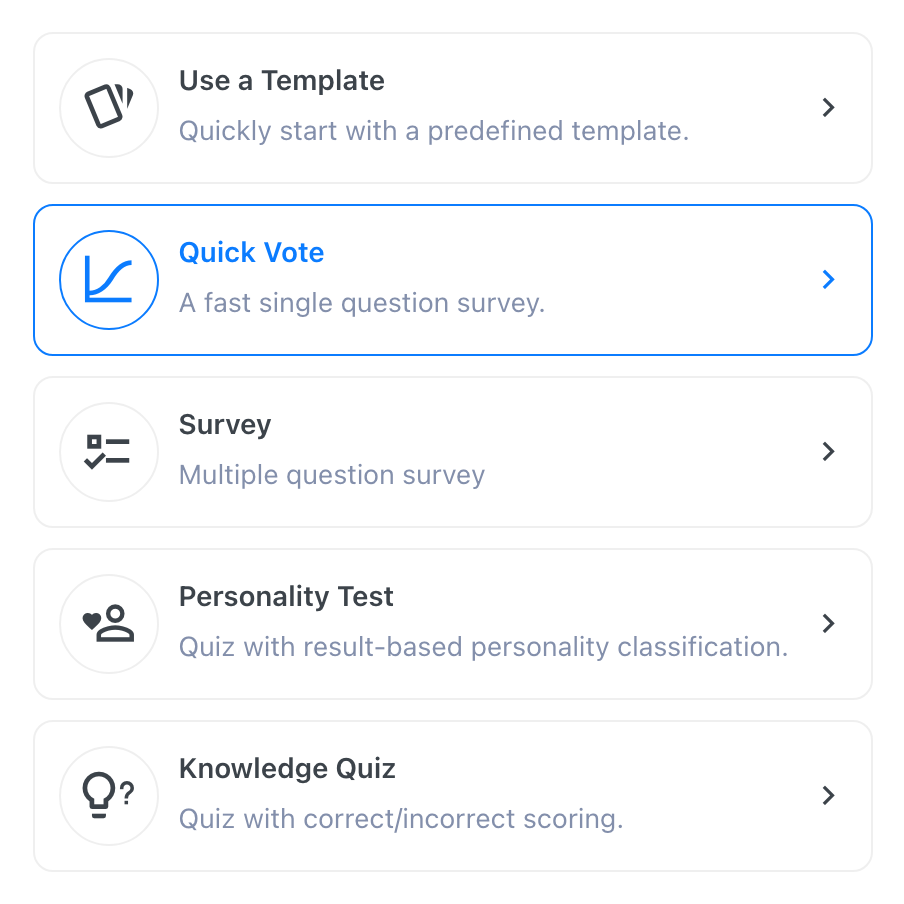
- On the Type step, click Quick Vote.
- Type a title into the survey-title field, then click Proceed.
- Free only: on the "Do more with SurveyX Pro" step, click Skip in the top right. (Pro skips straight past this step.)
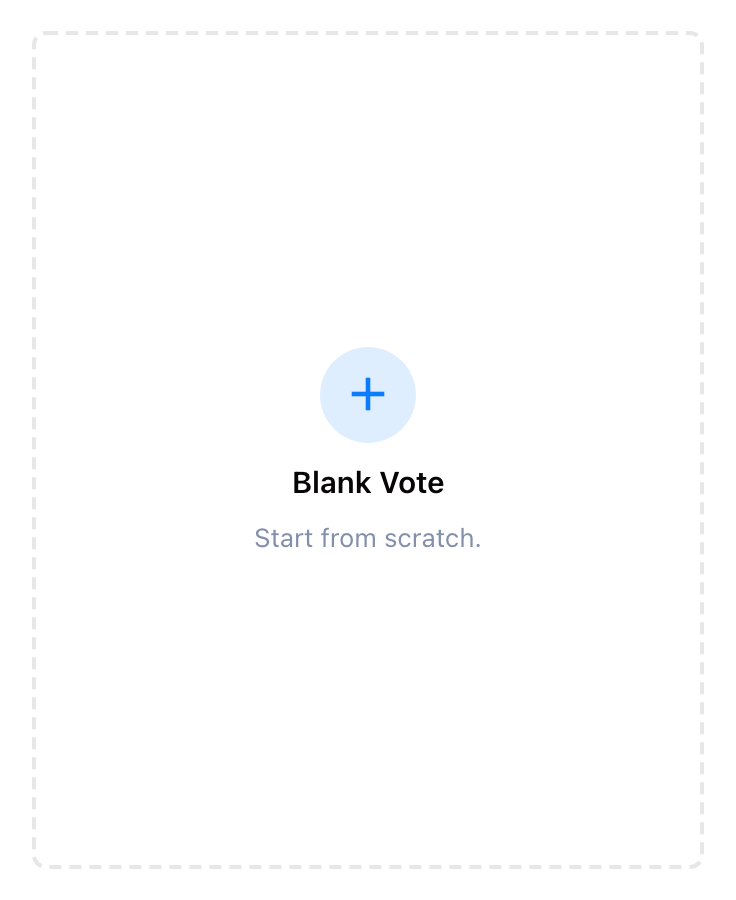
- On the Choose step, click Blank Vote — the "start from scratch" card, not one of the template suggestions next to it. SurveyX creates the survey and opens it in the editor.
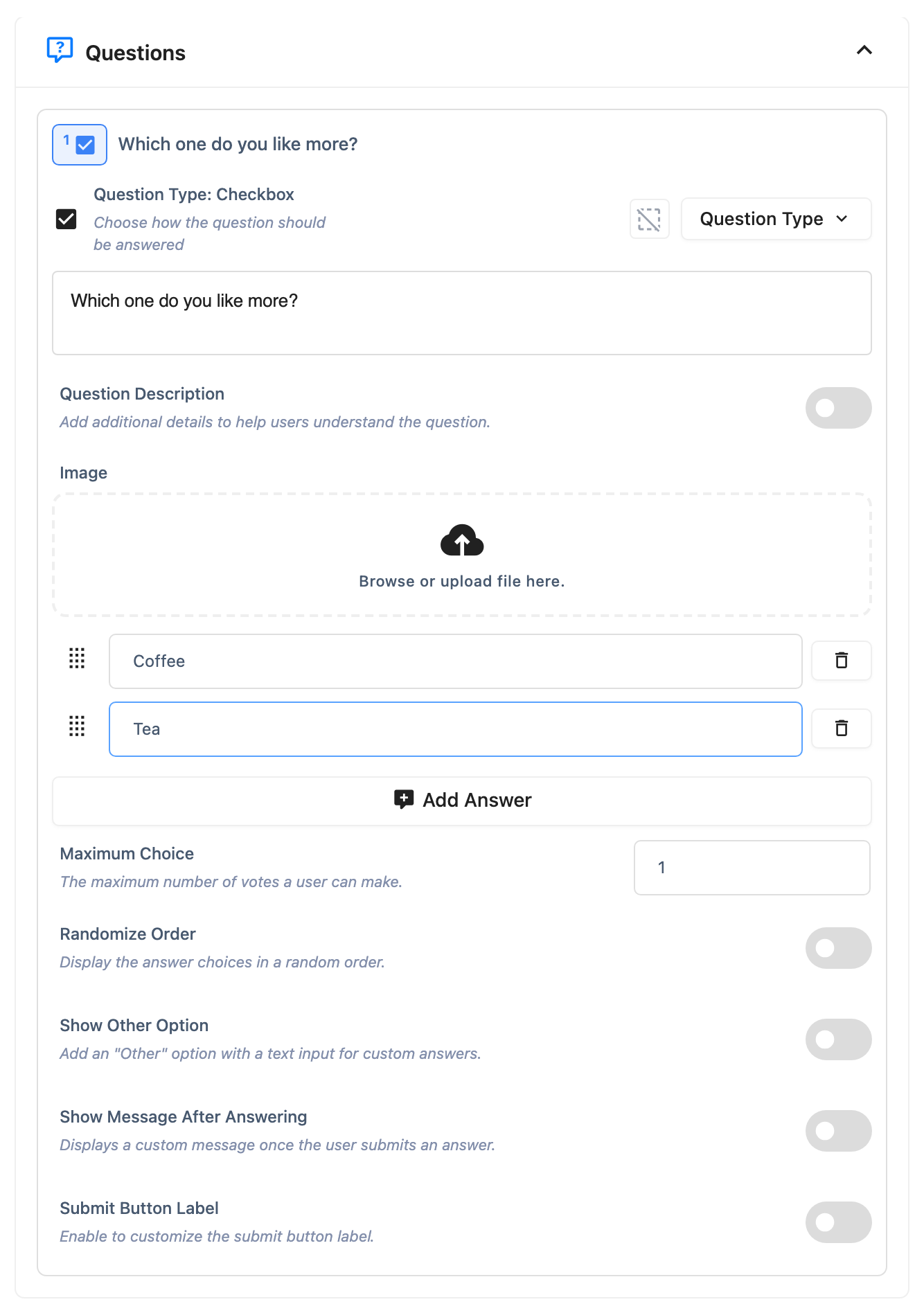
- In the left-hand section list, click Questions.
- SurveyX has already added one empty Checkbox question. Type your question into its title field — for example, "Which one do you like more?"
- Click Add Answer at least twice, and type an answer option into each one.
- Click Save.
Your survey is saved, not published yet
Nobody can see this survey yet. A new survey always starts as a draft (Inactive), whether you're on free or Pro — creating it and publishing it are two separate steps. The next page, Publish it, covers the three ways to put it in front of respondents.
Troubleshooting
Save won't go through, or a dialog appears about a missing title. SurveyX checks three things before it saves: the survey has a title, every question has a title, and every question that needs answer options (like this one) has at least one option with text in it. A missing survey title is a hard stop — type one in and save again, there's no way around it. A missing question title or missing answer options open a dialog instead, with a Save Anyway button that saves the survey without that question.
I see a Checkbox question I didn't add. That's expected — the Questions section always starts with one empty question pre-added on a new survey. You're editing that one, not creating a new one.
I want more than one question. Free is capped at one question per survey; Quick Vote is built around that. See Add and manage questions for what changes on Pro.