Install SurveyX Builder
SurveyX Builder comes as two separate plugins — a free one from WordPress.org, and Pro, which you upload yourself after buying it. This page covers installing either, and what happens if you ever have both on the same site.
Requirements
Both editions need the same environment:
| Requirement | Minimum |
|---|---|
| WordPress | 6.0 |
| PHP | 7.4 |
Install the free plugin
- In your WordPress admin, go to Plugins → Add New Plugin.
- Search for SurveyX Builder.
- Click Install Now, then Activate.
- Click SurveyX in the left-hand admin menu.
Install Pro
- If the free plugin is active, go to Plugins, find SurveyX Builder, and click Deactivate. Pro replaces it, and only one runs at a time — but nothing does this for you automatically, so do it before or right after uploading Pro.
- Go to Plugins → Add New Plugin → Upload Plugin, choose the Pro zip file you downloaded from your account, then click Install Now.
- Click Activate Plugin. WordPress then asks for your licence key — see Activate your Pro licence.
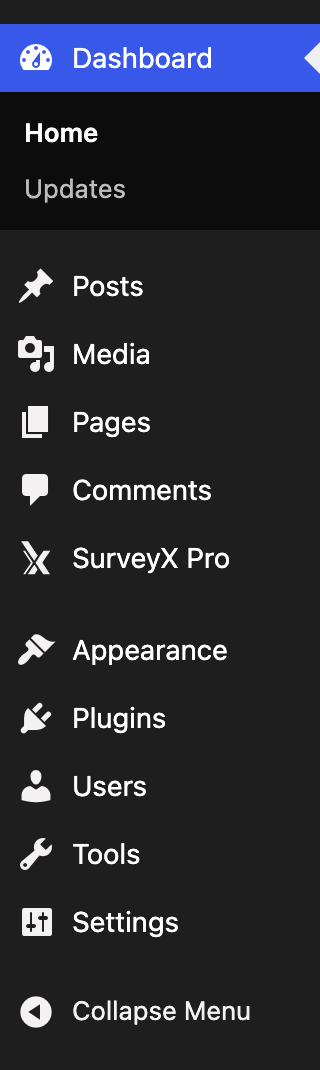
- Click SurveyX Pro in the left-hand admin menu — Pro's menu item carries that label instead of the plain SurveyX the free plugin uses.
If you're moving from free to Pro, every survey, response and setting carries over untouched — both editions read and write the same database tables.
Running both plugins at once
It's safe to leave the free plugin installed after activating Pro, or to forget step 1 above. As soon as Pro is active, the free plugin detects it and goes completely inert: it registers no admin menu, no REST routes, and no background jobs of its own. There's no error and no conflict — it just does nothing. Deactivate or delete it whenever you like; nothing about your surveys depends on it once Pro is running.
What activation creates
Activating either edition, for the first time on a site:
- Creates 9 database tables to hold your surveys, questions, answers, sessions, respondents, themes and revision history.
- Adds one admin menu item above Appearance — SurveyX on the free plugin, SurveyX Pro on Pro. Every screen in it requires the WordPress Administrator role — there's no separate SurveyX role or permission to configure.
- Does not run a setup wizard and does not seed a sample survey. The dashboard opens empty, and the next thing to do is create your first survey.
Troubleshooting
I activated Pro but the free plugin still shows "Active" in my Plugins list. Deactivate it yourself — Pro does not deactivate free automatically. Leaving it active is harmless (see above), but deactivating avoids running two plugins for no reason.
I deactivated or deleted a plugin — is my survey data gone? No. Neither edition deletes anything on deactivation or deletion. Every survey, response, respondent and setting stays in your database until you delete a specific survey yourself from inside the dashboard.
The SurveyX menu item isn't showing up. Confirm you're logged in as a WordPress Administrator — the menu and every SurveyX screen require that role. On Pro, look for SurveyX Pro rather than plain SurveyX.